> For the complete documentation index, see [llms.txt](https://docs.enginsight.com/docs/llms.txt). Markdown versions of documentation pages are available by appending `.md` to page URLs; this page is available as [Markdown](https://docs.enginsight.com/docs/manual/english/platform-usage/dashboard/vulnerability-management/cve-db/cve-db-detail-view.md).

# CVE DB: Detail View

<i class="fa-computer-mouse">:computer-mouse:</i> Click an entry in the [CVE database overview](https://docs.enginsight.com/docs/manual/english/platform-usage/dashboard/vulnerability-management/cve-db.md#cve-db-overview) to show detailed information about the respective Common Vulnerabilities and Exposures (CVE).

{% hint style="info" %}
This view is only available in English.
{% endhint %}

***

## CVE Entry

<figure><img src="https://content.gitbook.com/content/V7OrHgKXA0t1jankQBYf/blobs/gT0MWIIxZjFpPK4d54v2/enginsight-screenshot-dashboard-schwachstellenmanagement-cve%20db-cve%20db%20detailansicht-cve%20eintrag.jpg" alt=""><figcaption></figcaption></figure>

Shows the unique CVE identifier along with a preview of the full description provided by the National Vulnerability Database (NVD) of the National Institute of Standards and Technology (NIST).

***

## CVSS Assessment

<div align="left"><figure><img src="https://content.gitbook.com/content/V7OrHgKXA0t1jankQBYf/blobs/5iYklgF7tAZLnqgYEIz9/enginsight-screenshot-dashboard-schwachstellenmanagement-cve%20db-cve%20db%20detailansicht-cvss%20bewertung.jpg" alt="" width="297"><figcaption></figcaption></figure></div>

### Overview

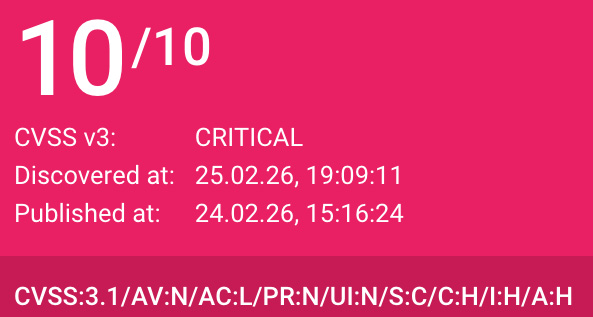
This tile shows general information about the assessment and detection of the CVE according to the Common Vulnerability Scoring System (CVSS) v3. Depending on the severity of the vulnerability, the tile is [color-coded](https://docs.enginsight.com/docs/manual/english/appendix/color-coding-of-severity-levels.md):

<table><thead><tr><th width="200.265625">Information</th><th>Description</th></tr></thead><tbody><tr><td>CVSS Base Score</td><td>Shows the calculated CVSS Base Score ranging from <strong>0.0</strong> (None) to <strong>10.0</strong> (Critical).</td></tr><tr><td>CVSS v3</td><td><p>Shows the severity of the CVE based on the CVSS Base Score.<br><br>The following severity levels can be shown: </p><ul><li><strong>Critical</strong>: The CVE has a CVSS Base Score of 9.0–10.0 and therefore a very high severity. </li><li><strong>High</strong>: The CVE has a CVSS Base Score of 7.0–8.9 and therefore a high severity. </li><li><strong>Medium</strong>: The CVE has a CVSS Base Score of 4.0–6.9 and therefore a medium severity. </li><li><strong>Low</strong>: The CVE has a CVSS Base Score of 0.1–3.9 and therefore a low severity. </li><li><strong>None</strong>: The CVE has a CVSS Base Score of 0.0 and therefore no severity.</li></ul></td></tr><tr><td>Discovered at</td><td>Shows the date and time when the vulnerability was first detected on monitored assets.</td></tr><tr><td>Published at</td><td>Shows the date and time when the CVE was published in the NVD.</td></tr></tbody></table>

### Base Metrics

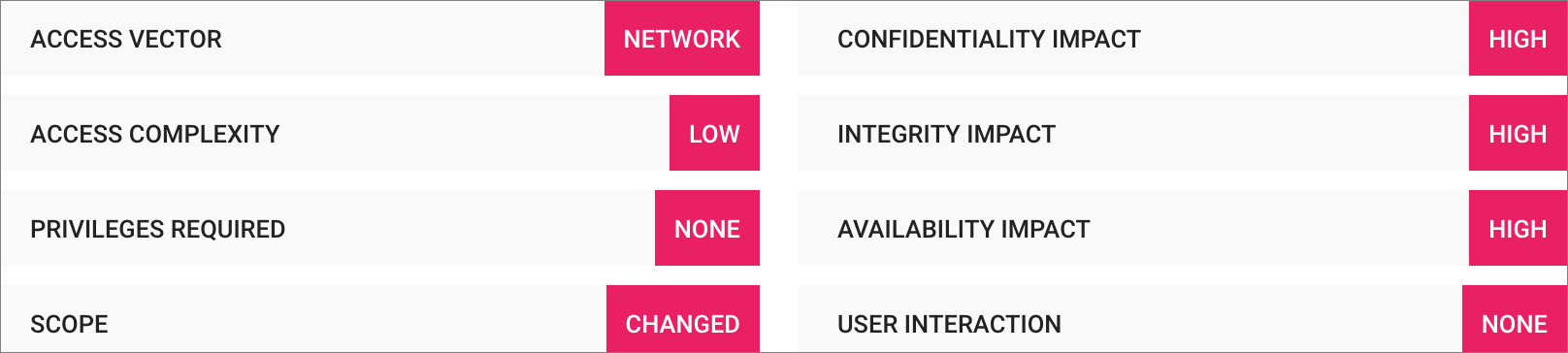
The bars show the CVSS Base Metrics according to the [NIST Common Vulnerability Scoring System Calculator](https://nvd.nist.gov/vuln-metrics/cvss/v3-calculator), which together determine the overall CVSS score.

<figure><img src="https://content.gitbook.com/content/V7OrHgKXA0t1jankQBYf/blobs/xaCqLtZYICxPHSu7g536/enginsight-screenshot-dashboard-schwachstellenmanagement-cve%20db-cve%20db%20detailansicht-basismetriken.jpg" alt=""><figcaption></figcaption></figure>

The following metrics can be shown:

<table><thead><tr><th width="200.2734375">Base Metric</th><th>Value</th></tr></thead><tbody><tr><td>Access Vector</td><td><p>Describes the type of access required to exploit the vulnerability.</p><p></p><p>The following Attack Vector (AV) values can be shown: </p><ul><li><strong>Network (AV)</strong>: Access can be gained remotely via a network or the Internet. </li><li><strong>Adjacent (AV)</strong>: Access can be gained from the same physical or logical network segment. </li><li><strong>Local (AV)</strong>: Access must occur locally on the target system. </li><li><strong>Physical (AV)</strong>: Exploitation requires physical interaction with the target system.</li></ul></td></tr><tr><td>Access Complexity</td><td><p>Describes how difficult it is for an attacker to exploit the vulnerability.</p><p></p><p>The following Attack Complexity (AC) values can be shown: </p><ul><li><strong>Low (AC)</strong>: No special conditions are required. </li><li><strong>High (AC)</strong>: Special environmental or timing conditions are required and the attacker must prepare accordingly.</li></ul></td></tr><tr><td>Privileges Required</td><td><p>Describes the level of privileges an attacker must possess to exploit the vulnerability.</p><p></p><p>The following Privileges Required (PR) values can be shown: </p><ul><li><strong>None</strong> (PR:N): No privileges or authentication are required. </li><li><strong>Low</strong> (PR:L): Standard user privileges are required. </li><li><strong>High</strong> (PR:H): Administrator or root privileges are required.</li></ul></td></tr><tr><td>Scope</td><td><p>Describes whether exploitation of the vulnerability affects only the vulnerable system or extends beyond its security boundary.</p><p></p><p>The following Scope (S) values can be shown: </p><ul><li><strong>Unchanged</strong> (S:U): The impact remains limited to the affected system. </li><li><strong>Changed</strong> (S:C): The impact extends beyond the affected system and can affect other systems.</li></ul></td></tr><tr><td>Confidentiality Impact</td><td><p>Describes the impact of exploitation on the confidentiality of data, for example whether sensitive information can be disclosed.</p><p></p><p>The following Confidentiality Impact (C) values can be shown:</p><ul><li><strong>None</strong> (C:N): Unauthorized parties cannot access sensitive data.</li><li><strong>Low</strong> (C:L): Unauthorized parties gain partial access to sensitive data but cannot control which data is exposed.</li><li><strong>High</strong> (C:H): Unauthorized parties gain extensive or complete access to sensitive data.</li></ul></td></tr><tr><td>Integrity Impact</td><td><p>Describes the impact of exploitation on the integrity of data, for example whether data can be manipulated.<br><br>The following Integrity Impact (I) values can be shown:</p><ul><li><strong>None</strong> (I:N): Data manipulation is not possible.</li><li><strong>Low</strong> (I:L): Limited manipulation of data is possible, but it has little or no impact outside the affected system.</li><li><strong>High</strong> (I:H): Extensive or complete manipulation of data is possible, including the encryption of all available data.</li></ul></td></tr><tr><td>Availability Impact</td><td><p>Describes the impact of exploitation on the availability of systems and data, for example whether systems can be shut down or crashed.<br><br>The following Availability Impact (A) values can be shown:</p><ul><li><strong>None</strong> (A:N): Exploitation has no impact on availability.</li><li><strong>Low</strong> (A:L): Exploitation partially affects availability, for example by overloading the system.</li><li><strong>High</strong> (A:H): Exploitation enables complete shutdown of the affected system.</li></ul></td></tr><tr><td>User Interaction</td><td><p>Describes whether user interaction is required to exploit the vulnerability.<br><br>The following User Interaction (UI) values can be shown:</p><ul><li><strong>None</strong> (UI:N): No user interaction is required.</li><li><strong>Required</strong> (UI:R): An attacker must interact with the system, for example by installing software or convincing a user to perform an action.</li></ul></td></tr></tbody></table>

***

## Affected References

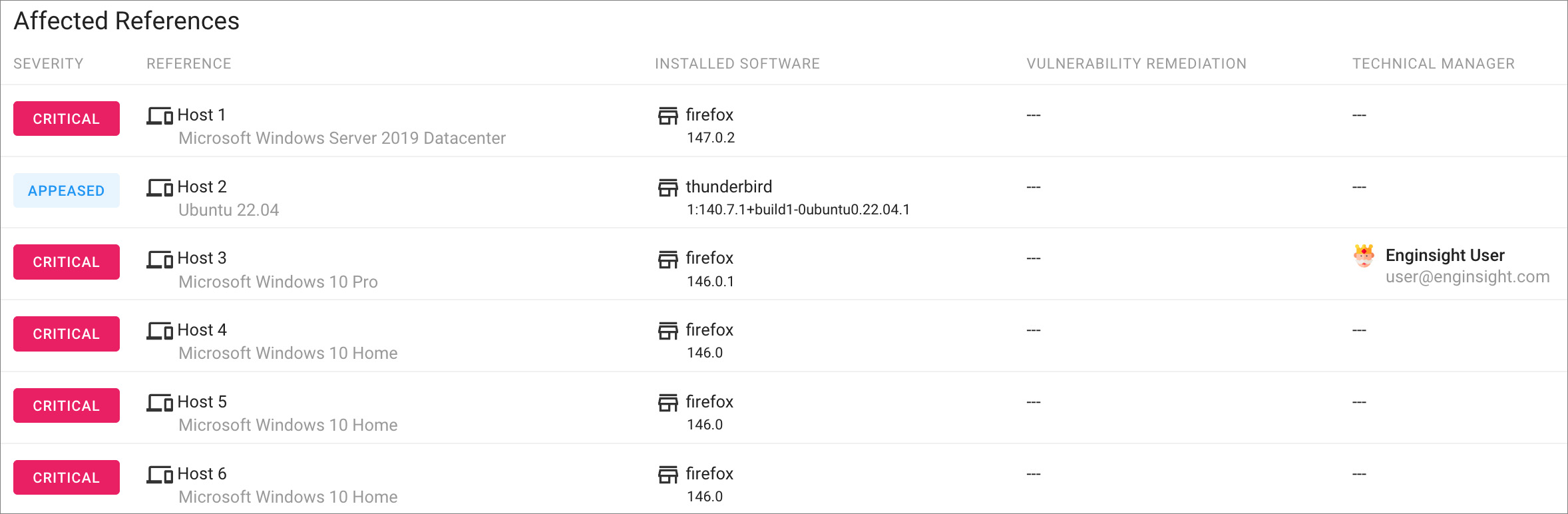
The table shows which assets (hosts and endpoints) and software applications are affected by the respective CVE.

<figure><img src="https://content.gitbook.com/content/V7OrHgKXA0t1jankQBYf/blobs/djdg4h9o5Cyugbhp3vei/enginsight-screenshot-dashboard-schwachstellenmanagement-cve%20db-cve%20db%20detailansicht-affected%20references.jpg" alt=""><figcaption></figcaption></figure>

The following information is shown:

<table><thead><tr><th width="200.0703125">Column</th><th>Description</th></tr></thead><tbody><tr><td>Severity</td><td><p>Shows the severity of the CVE based on the CVSS Base Score.</p><p></p><p>The following severity levels can be shown:</p><ul><li><strong>Critical</strong>: The CVE has a very high severity.</li><li><strong>High</strong>: The CVE has a high severity.</li><li><strong>Medium</strong>: The CVE has a medium severity.</li><li><strong>Low</strong>: The CVE has a low severity.</li><li><strong>Appeased</strong>: The CVE has already been manually appeased for the affected software application.</li></ul></td></tr><tr><td>Reference</td><td><p>Shows the asset (host or endpoint) affected by the CVE. For hosts, the installed operating system is also shown.</p><p><br><i class="fa-computer-mouse">:computer-mouse:</i> Click a reference to navigate to the respective <a href="https://docs.enginsight.com/docs/manual/english/platform-usage/hosts/vulnerability-management/vulnerabilities.md">vulnerabilities view for hosts</a> or <a href="https://docs.enginsight.com/docs/manual/english/platform-usage/endpoint-detail-view/vulnerabilities.md">vulnerabilities view for endpoints</a>.</p></td></tr><tr><td>Installed Software</td><td>Shows the name and version of the specific software application affected by the vulnerability.</td></tr><tr><td>Technical Manager</td><td>Shows the name and email address of the user responsible for maintaining and operating the affected asset, if configured.</td></tr></tbody></table>

***

## Common Weakness Enumeration

<i class="fa-eye">:eye:</i> This section is only visible if the vulnerability is also listed in the [Common Weakness Enumeration (CWE) catalog maintained by the MITRE-Corporation](https://cwe.mitre.org/index.html).

<figure><img src="https://content.gitbook.com/content/V7OrHgKXA0t1jankQBYf/blobs/Rpa1RvBamkCkMuNUFaI0/enginsight-screenshot-dashboard-schwachstellenmanagement-cve%20db-cve%20db%20detailansicht-cwe.jpg" alt=""><figcaption></figcaption></figure>

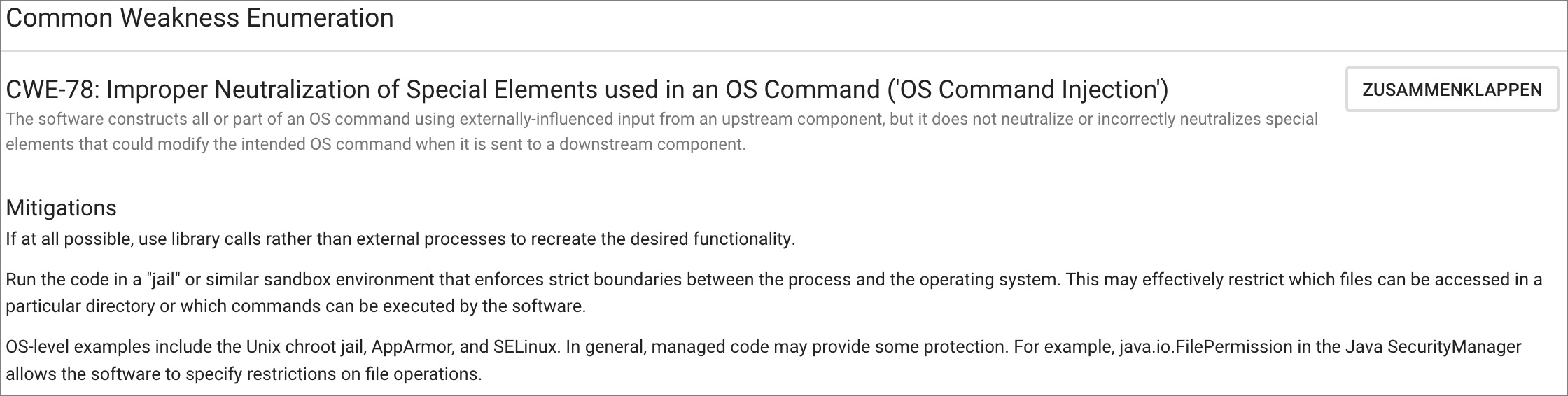
The section shows the CWE identifier, the CWE title, and a short description.

<i class="fa-computer-mouse">:computer-mouse:</i> Click **Expand** to show additional details about the CWE entry as provided by the CWE community.

{% hint style="warning" %}
**Please note:** Enginsight assumes no liability for the information or code examples shown in this section.
{% endhint %}

***

## Related Links

<i class="fa-eye">:eye:</i> This section is only visible if links to external sources are available for the vulnerability.

<div align="left"><figure><img src="https://content.gitbook.com/content/V7OrHgKXA0t1jankQBYf/blobs/VLgMOFFuLi8ANggqxKL5/enginsight-screenshot-dashboard-schwachstellenmanagement-cve%20db-cve%20db%20detailansicht-related%20links.jpg" alt="" width="315"><figcaption></figcaption></figure></div>

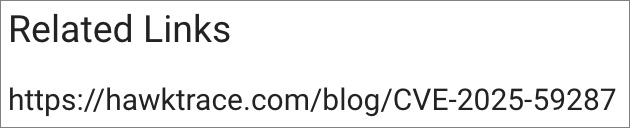
The section shows a list of links to external sources related to the vulnerability.

<i class="fa-computer-mouse">:computer-mouse:</i> Click a link to open the respective website.

{% hint style="warning" %}
**Please note:** Enginsight assumes no liability for the content and topicality of linked websites.
{% endhint %}

***